Docs
Usage
How reviews start, how to read them, and how to tell PURA which findings to skip.
1. Automatic reviews
PURA reviews every pull request automatically, with no command needed. A review starts when a pull request is opened, when it's marked ready for review, and when new commits are pushed.
To run a review on demand, comment /pura review on the first line of a pull request comment. It also turns PURA back on for a pull request a repo admin has paused with /pura ignore.
Reviews run on every repository where the PURA GitHub App is installed, while your account is on a trial or paid plan.
2. Read a PURA review
Every agent that applies to the pull request reviews it, and PURA posts their findings as one review with one verdict. Each finding is anchored to the lines it refers to and tagged by severity:
- 🔴 P1, must fix: correctness bugs, security vulnerabilities, breaking changes, data loss.
- 🟠 P2, should fix: robustness, missing tests, notable performance or style issues.
- 🔵 P3, consider: polish and optional alternatives.
The verdict follows the open findings: any open P1 gives REQUEST_CHANGES, only P2 and P3 give COMMENT, and no open findings give APPROVE.
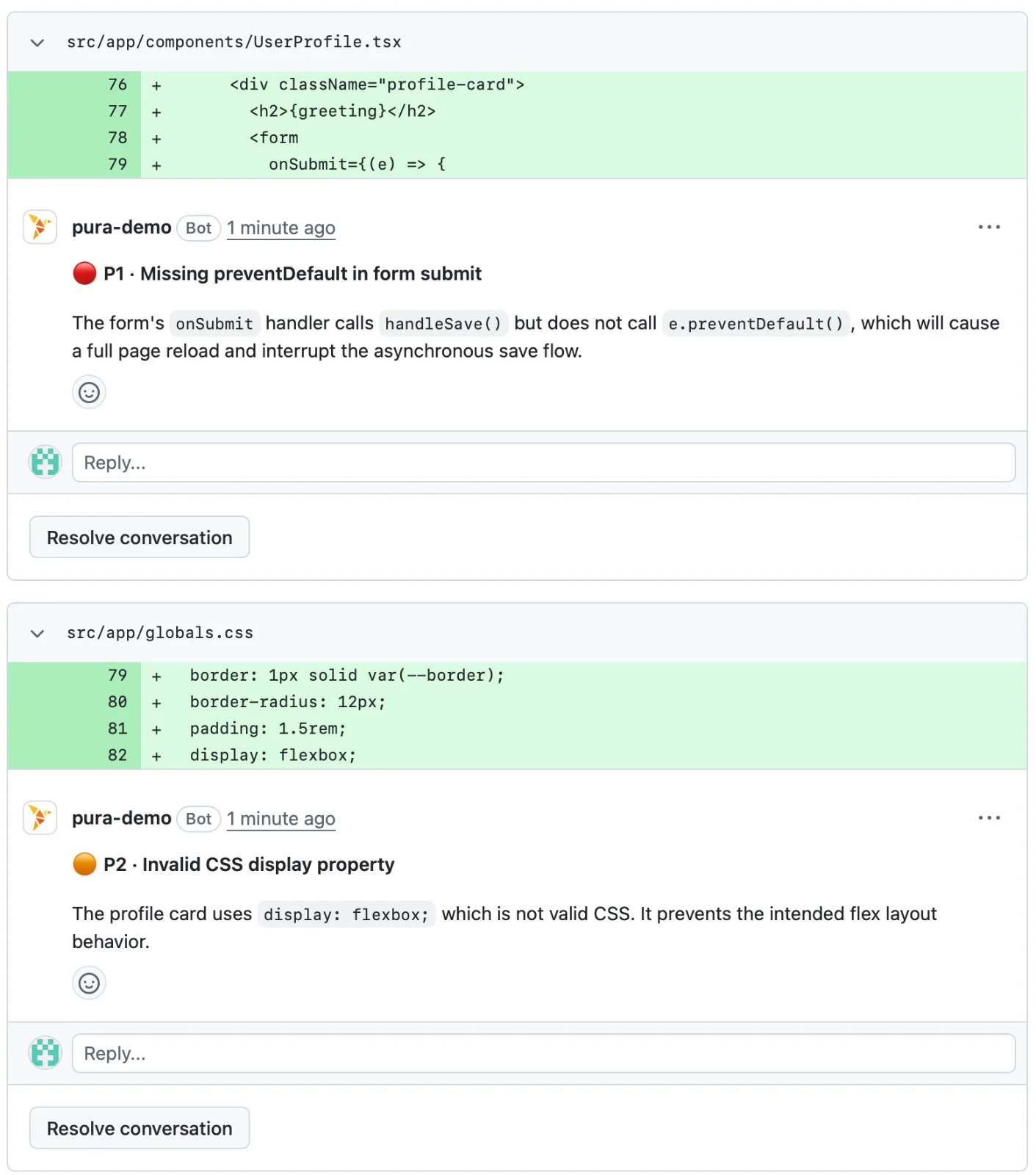
Many findings include a code suggestion you can apply in GitHub with one click. Each finding ends with a Notes footer that holds its id and the ignore commands.
The PR Overview Comment
Each pull request has one overview comment that PURA keeps up to date:
Current State: the latest run's summary, findings per agent, cost and tokens.PR Quality Review: findings from PR quality review agents.Ignored Findings: what's been muted on this pull request.Total: cumulative usage and cost per agent.
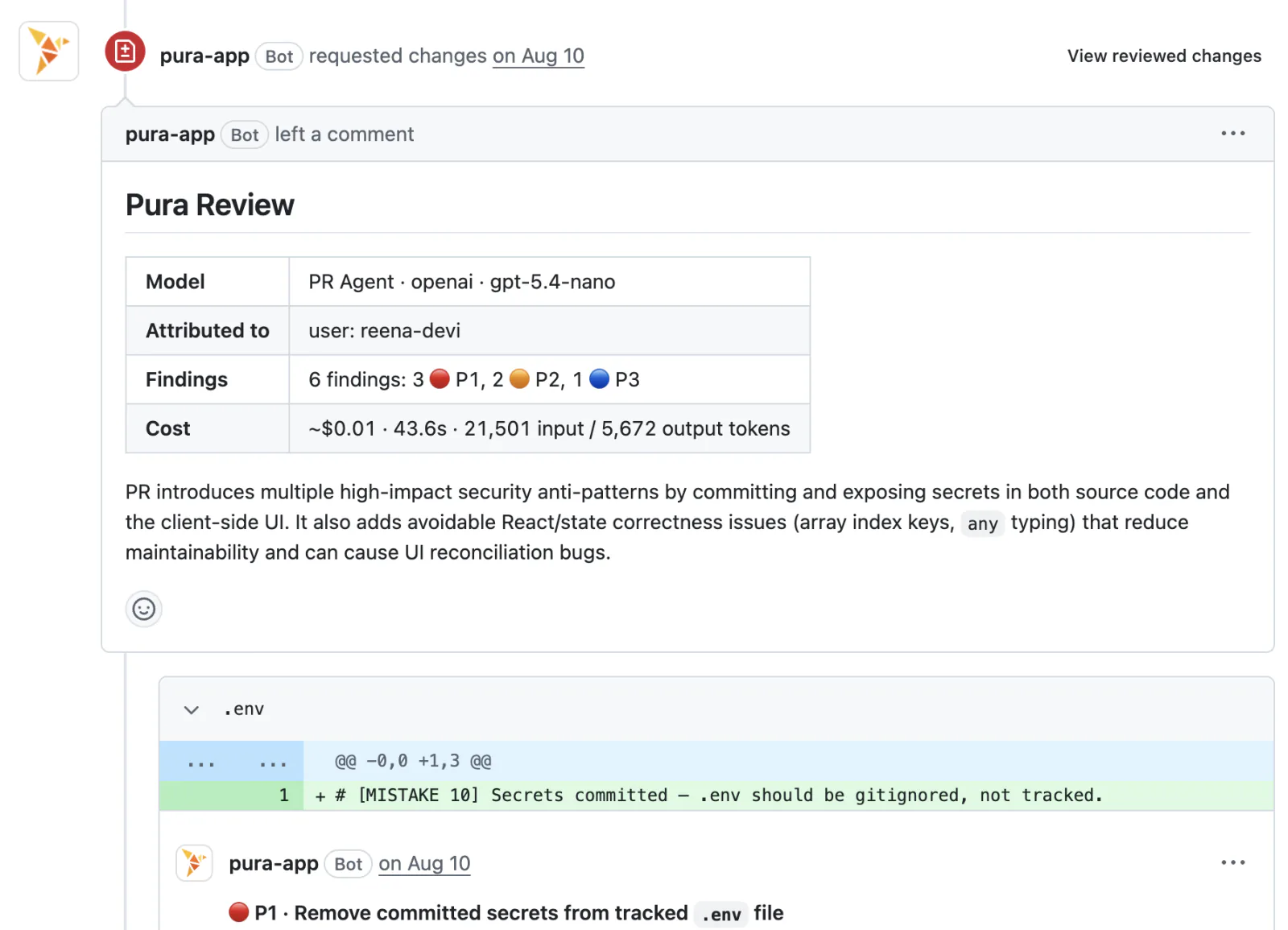
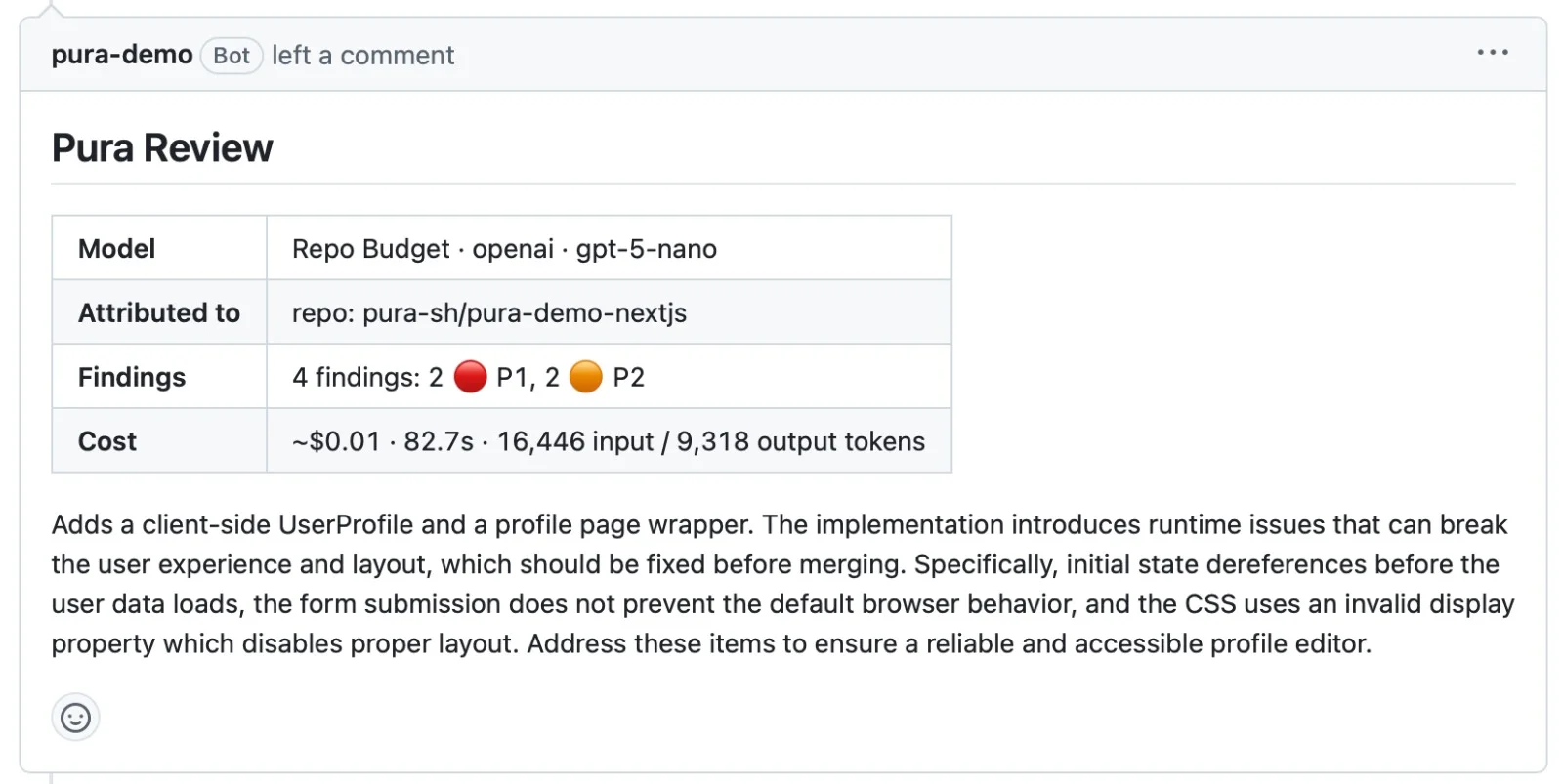
Large pull requests get a full review too: PURA splits a large change into parts, reviews them in parallel and merges the results.
3. Ignore findings
Tell PURA which findings to stop reporting. A muted finding stays muted even when the code moves to another line.
| Command | Where | Effect |
|---|---|---|
/pura ignore | Reply to a finding | Mutes it on this pull request. |
/pura ignore always | Reply to a finding | Mutes it on every pull request in the repository. Repo admins. |
/pura ignore <id> ... | PR comment | Mutes the listed findings on this pull request, including PR quality findings. |
/pura ignore always <id> ... | PR comment | Mutes the listed findings everywhere. Repo admins. |
/pura ignore | PR comment, no ids | Turns PURA off for this pull request and resolves its findings. A later /pura review turns it back on. Repo admins. |
/pura unignore <file> | PR comment | Removes the permanent mutes for that file. Repo admins. |
Finding ids are in each finding's Notes footer and next to each PR quality finding in the overview comment. Permanent mutes apply to the next review straight away and last a year by default.
4. Drafts and generated files
PURA waits while a pull request is a draft. Mark it ready for review and PURA reviews it right away, with no comment needed.
PURA focuses on the code your team wrote: generated files, lockfiles and vendored dependencies are left out of the review.
5. Review again
Every push starts a new review of the latest state of the branch. You can also comment /pura review again at any time.
Each new review builds on the last one. Findings that still apply stay on their threads, fixed ones are resolved, and nothing is posted twice. When the last open finding is fixed, PURA approves the pull request, so an old “changes requested” never blocks the merge.
Next