How Reviewing Teams Control AI Review Spend
Let the team that owns the code decide how thoroughly it gets reviewed — and how much to spend doing it.
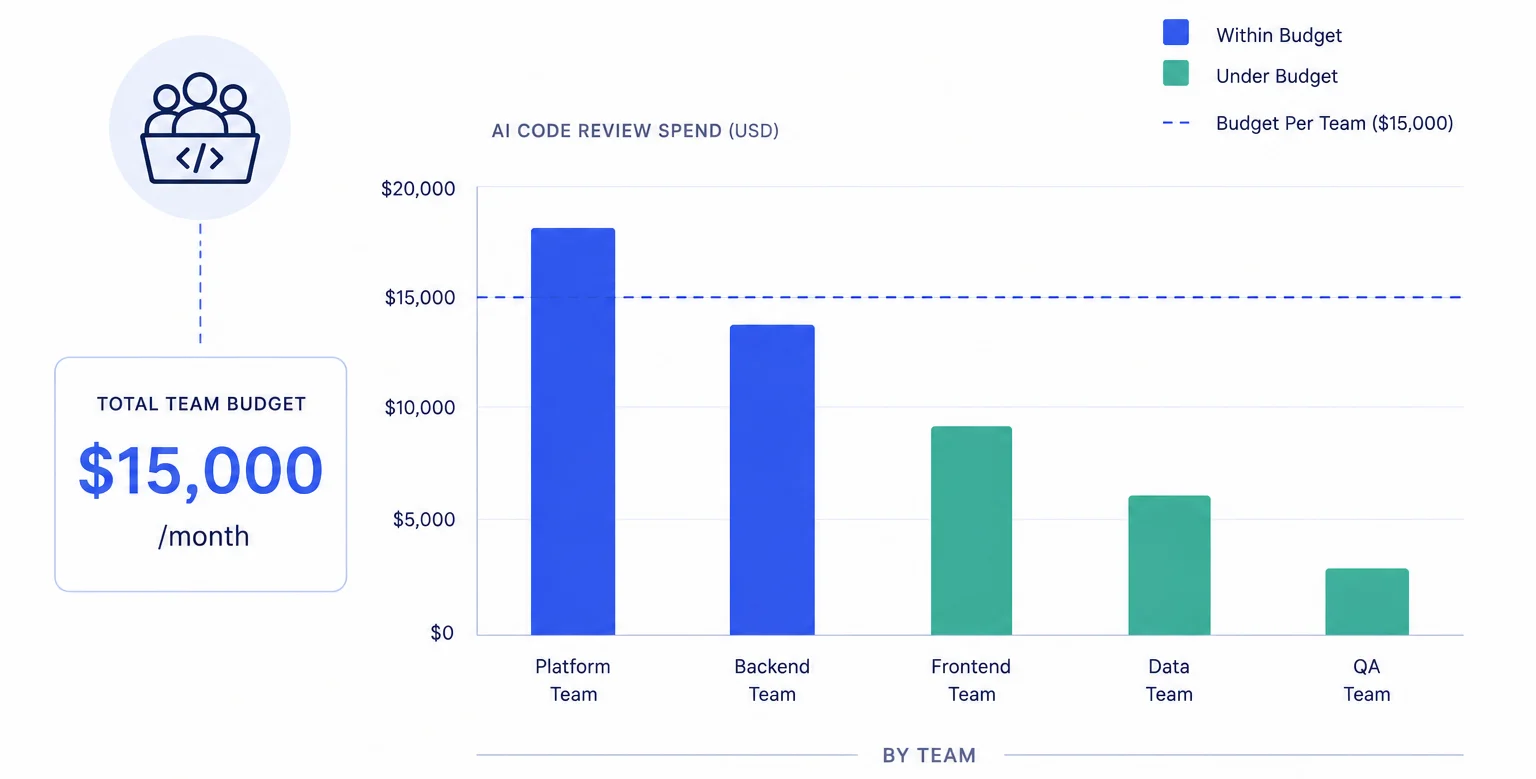
The reviewing team is the code owner — and they should control the budget
GitHub's CODEOWNERS file tells you who must approve a change before it merges. But it says nothing about how thoroughly that change should be reviewed — or how much to spend doing it. The security team that owns src/auth/** probably wants Claude-level scrutiny on every PR that touches authentication. The docs team that owns docs/** probably doesn't.
Most AI review tools ignore this distinction entirely. They apply the same model with the same budget to every file path, every team, every PR. The result: your security team gets the same shallow review as your README updates, or — worse — your entire budget gets consumed reviewing documentation changes while the auth refactor gets skipped.
PURA's reviewing-team budget restrictions flip this around. Instead of budgeting by who wrote the code, you budget by who owns it. The team that will be woken up at 3 a.m. when something breaks gets to decide how much firepower the review deserves.
How reviewing-team budgets work
When you configure a budget restriction of type Team (Owner), PURA resolves the reviewing team from the PR's requested reviewers. Specifically, it looks at the first team in the requested reviewers list. If the PR has an explicit review request for the security team, PURA matches against your security-team budget restriction — even if the PR author is a frontend engineer who normally routes to a different agent.
This is fundamentally different from contributing-team budgets. With contributing teams, spend follows the author. With reviewing teams, spend follows the review request. Here's why that matters:
- A frontend engineer opens a PR that touches
src/auth/tokens.ts. They request review from the security team because the CODEOWNERS file requires it. - PURA sees the review request for
security, matches against the security team's reviewing-team budget restriction, and routes the PR to the agent scoped for security reviews — which uses Claude Sonnet with a $50/month entity budget. - The frontend engineer's own contributing-team budget is never touched. The cost lands on the security team's reviewing-team allocation — exactly where it belongs, because it's the security team that needs to trust the review.
Reviewing-team budgets only trigger when a team is explicitly requested as a reviewer on the PR. If no team is requested — or the PR author hasn't added reviewers yet — PURA falls through to other budget restriction types (contributing team, repo, user) in evaluation order. Plan your review-request workflow accordingly.
A real example: the security team
Let's walk through a concrete setup. Your GitHub org has a team called security that owns authentication, authorization, and cryptography code. You want every PR that touches those paths to get a deep Claude review — and you want the security team's own budget to fund it.
In PURA, you create a review agent called "Security Reviews":
- Provider: Claude Sonnet (primary), GPT-4o (fallback)
- Agent-level budget: $75/month (backstop — should rarely trigger)
- Budget restriction: type Team (Owner), name pattern
security, restriction Allow, entity monthly budget $50
Now when any engineer in the org opens a PR and requests review from the security team, PURA matches it against the Security Reviews agent's allow block, reviews it with Claude Sonnet, and debits the security team's $50 monthly pool. Because this agent is scoped specifically to the security team, it is automatically eligible for every PR that requests a security-team review.
The security team can log into the PURA dashboard and see every review that was charged to their budget — which PRs, which repos, which engineers requested them, and what findings the reviews surfaced. If someone starts abusing the system by requesting security review on trivial changes, the dashboard makes it obvious.
When to use reviewing-team budgets vs. contributing-team budgets
The two budget types solve different problems, and the choice between them depends on your org structure:
- Contributing-team budgets make sense when you want to cap how much each squad spends on reviews of their own work. Use this in orgs where teams own their repos end-to-end and the primary goal is fairness — preventing one team from consuming the shared pool.
- Reviewing-team budgets make sense when code ownership is distributed and you want the domain experts to control review depth. Use this when you have a security team, a platform team, or an architecture group that needs to sign off on changes across many repos — and you want those reviews to be thorough regardless of who wrote the code.
You can mix both types in the same account. A single review agent can carry budget restrictions of different types. PURA evaluates all of them per PR and picks the first matching allow block. So a PR that has both a contributing team and a requested reviewer team will follow whichever restriction matches first — which you control through block ordering.
Analytics: who's requesting whom
The analytics dashboard lets you filter by reviewing team, same as any other budget entity type. This surfaces a pattern you probably can't see anywhere else: which teams are requesting reviews from which other teams, and how much those reviews are costing.
If the frontend team is requesting security review on 60% of their PRs and the security team's budget is running dry by mid-month, you have a problem — but it's not a budget problem. It's either an over-reliance on security review (maybe frontend needs their own security linting) or an under-allocation (maybe security needs a bigger pool). Either way, the analytics give you the data to have that conversation.
Setup
- Open a review agent in PURA and go to Budget Restrictions.
- Add a block of type Team (Owner). Set the name pattern to match the reviewing team slug —
security,platform,architecture. - Set restriction to Allow. Configure entity budgets for this team.
- Repeat for each reviewing team. Add a Deny block if needed to exclude specific teams from this agent.
- Ensure your GitHub workflow requests the right reviewer teams on PRs — PURA reads the requested reviewers list; it doesn't infer ownership from CODEOWNERS.
- Check back on the analytics after a sprint. Tune budgets based on actual usage.
Reviewing-team budgets close the loop between code ownership and review spend. The people who are accountable for the code get to decide how deeply it gets reviewed — and the cost follows the accountability, not the author. It's the budget model that matches how serious engineering organizations actually work.
Ready to put your AI review spend on rails?
Install PURA on your GitHub repos and start setting budgets in minutes — not months.
Install PURA for free